
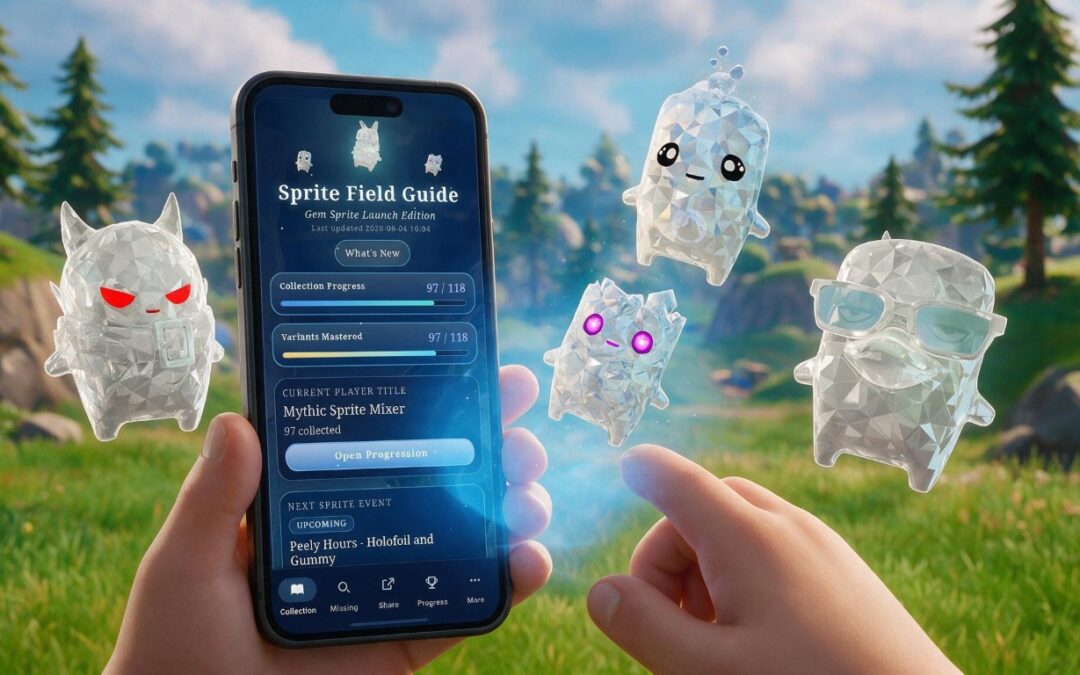
Barely a day since our last round of updates, and we’re back already. Fortnite’s Gem rollout is happening this week, so we’ve been busy making sure the Field Guide keeps pace, and we’ve added something super useful for those of you wanting to maximise your sprite collecting and mastery: a proper events calendar. Here’s what’s new.
Never miss a Sprite event
There’s a brand new Sprite Events Calendar in the app, so you can see exactly when events are running. Everything’s scheduled in ET behind the scenes, but the calendar converts it to your own local time automatically, so there’s no maths to do and no time zones to second-guess. The next upcoming event now shows right on the homepage too, so you can catch what’s coming at a glance without opening the full calendar.
Ready for the Gem rollout
Fortnite’s new Gem sprites arrive this week, and the Field Guide is ready for them. We’ve added the new Gem sprite art across the app, refreshed the homepage header to show it off, and updated all the reference data so the latest Gem variants are in there and ready for you to collect. The Gem variants are now part of collection and progression tracking too, so your totals and completion status reflect the new rollout properly.
More to collect, more to earn
There are new character and progression badges to chase, refreshed visuals on the progression page, and a tidier presentation of your titles and badges. We’ve also simplified some of the homepage progress messaging, so the top of the app feels cleaner and is easier to read at a glance.
Sharing looks better still
If you like sharing your collection, exports have had another polish. Variant badges are more readable now and scale more neatly when you’ve a lot of them on show; there are dedicated styles for the new Gem and Quack badges, and we’ve added compact labels for tighter layouts. Exports now include a handy legend when there’s room for one, and the new Gem variants are counted correctly in your totals.
Cleaner on mobile
With the new Gem header art in place, we reworked the mobile sticky header to make the most of the space. On desktop, there’s now a settings cog in the header for quicker access, and we’ve tweaked the wording and placement of the milestone prompts.
Not got it yet?
Grab the Field Guide on the Google Play Store, or use it straight from the web:
As ever, keep the ideas coming. This lot came together fast thanks to your feedback, and there’s plenty more planned, including the Microsoft Store release and a full iOS version.
Unofficial companion app, not affiliated with or endorsed by Epic Games.