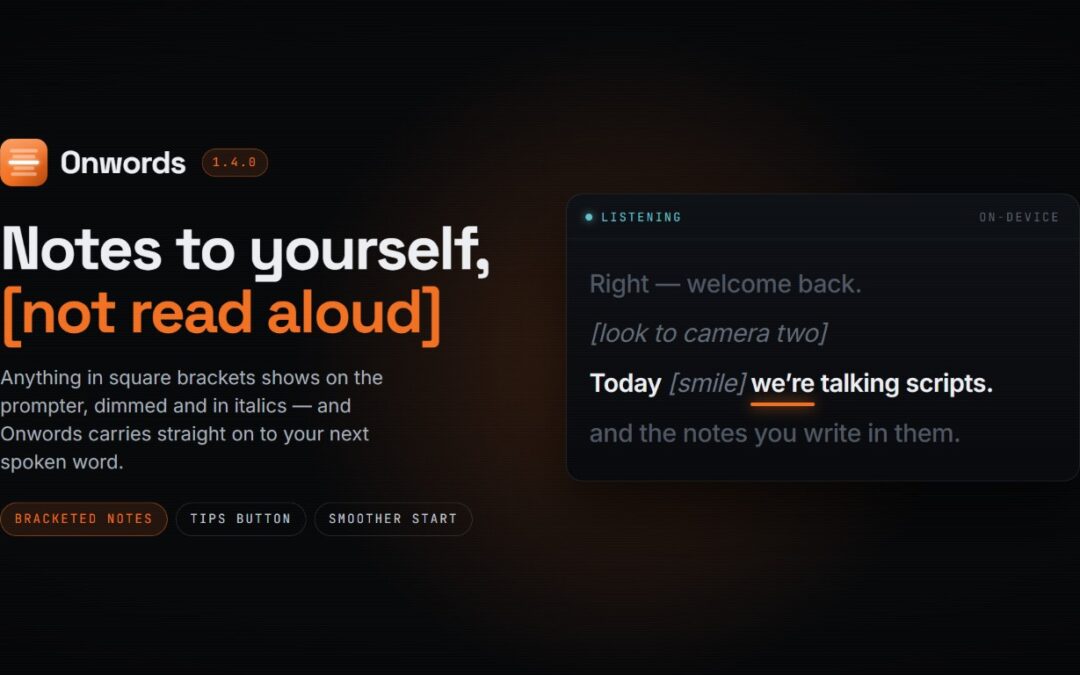
Onwords 1.4.0 is out, and the headline change in this update is one you can write straight into your script: notes to yourself. Stage directions in square brackets now appear on the prompter without Onwords trying to hear you say them. There’s also a Tips button beside the editor, and a quicker start when you begin listening.
Notes to yourself, not lines to read
Scripts have always carried more than the words. “Pause here.” “Look to camera two.” “Hold for the applause.” And now, you can add these to Onwords in a simple and smart way.
From 1.4, anything in square brackets is treated as a note rather than a line. Write [pause] or [look to camera two] and it appears on the prompter exactly where you put it, dimmed and in italics, so you see it as you arrive at it. Onwords knows it isn’t to be read aloud and carries straight on to your next spoken word. A note can sit on a line or have its own line. In the editor, they turn grey the moment you close the bracket, and the word count and reading time leave them out, so your timings stay honest.
Only square brackets count. Parentheses stay ordinary text, because “(and this is the important bit)” is something you might well say out loud.
A reminder of how to write for Onwords
There’s now a “Tips” button beside the script box. It opens a short guide to the three things worth knowing when you’re writing a script: that one line in the editor is one line on the prompter; how to mark up two speakers, either with the buttons or by typing “A:” and “B:” yourself; and how to write a note in brackets.
A smoother start
Pressing Start Listening loads a speech model, which takes a second or two. This used to take a second or two, but now the button reads “Starting…”, and the app stays live throughout; you can still move the window, and a Stream Deck key pressed in that moment isn’t left queued up behind the load.
One thing to look out for
Your saved script and any speaker assignments in it come through this update untouched. The one thing worth a glance: if your script already uses square brackets for something you do say aloud, those will now be read as notes and skipped. Swapping them for parentheses puts them back to normal.
Getting the update
If you already have Onwords, the Microsoft Store will automatically update you to 1.4.0; there’s nothing you need to do. If you’d rather not wait, open the Onwords listing in the Microsoft Store, or open the Store, go to Library and choose Get updates. You can check which version you’re on under Help > About.
Not got it yet?
Onwords is a teleprompter that listens to you rather than making you keep up with it. Speech recognition runs entirely on your own machine, so your scripts never leave your computer, and no internet connection is needed at any point.
- Download Onwords from the Microsoft Store, £19.99 once, no subscription. Free for seven days first, with everything unlocked.
- Have a look around the Onwords website, including guides for podcasters, social video, and live streams and webinars.
- Watch the trailer, a minute long, and quicker than reading about it.
- Support and FAQs.
As ever, keep the feedback coming. Bracketed notes went in because people were already writing them into their scripts and working around the results, and there’s more on the way, including a Mac version.